

คู่มือการสอบและสื่อการเรียน Resources
เตรียมสอบ Prepare for your exam
คู่มือการสอบ (Syllabuses) Syllabuses and repertoire
คู่มือการสอบระบุข้อกำหนดของการสอบแต่ละวิชาและเกรดอย่างละเอียด ทั้งการเลือกเพลงสอบ เพลงเทคนิค (Technical Focus) และเกณฑ์การให้คะแนน
Syllabuses set out the full requirements for each subject and grade, including song selection, Technical Focus songs and assessment criteria.
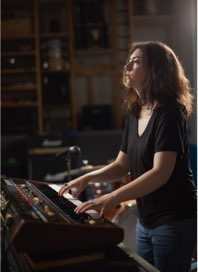
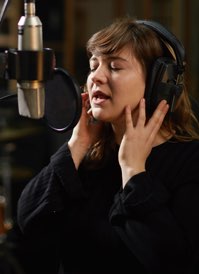
หนังสือเพลงสอบ Songbooks
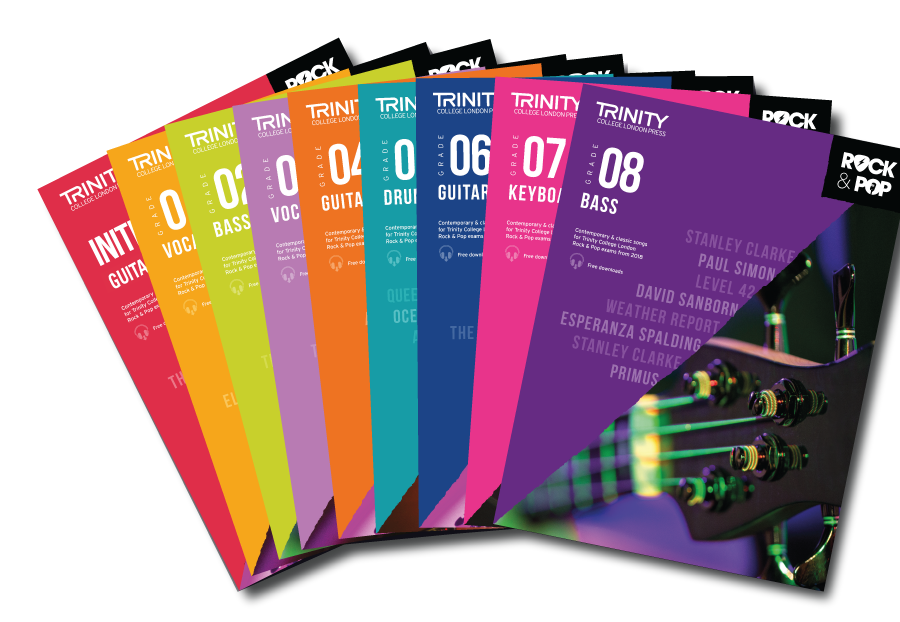
เพลงสอบเลือกจากหนังสือเพลงสอบของแต่ละวิชาและเกรด ทุกเพลงมาพร้อม backing track ที่อัดเสียงโดยนักดนตรีมืออาชีพ เวลาฝึกซ้อมและสอบจริงจะเล่นพร้อมกับ backing track เสมือนเล่นกับวงดนตรี
Exam songs are chosen from the songbook for each subject and grade. Every song comes with a professionally recorded backing track, simulating the experience of playing with a live band both in practice and in the exam itself.
ข้อมูลสำหรับการสอบระดับปริญญา Diploma resources
ศึกษารายละเอียดการสอบปริญญา Rock & Pop ได้ที่หน้าการสอบระดับปริญญา และข้อกำหนดฉบับเต็มจากเว็บไซต์ทางการของทรินิตี้คอลเลจลอนดอน
See the Diplomas page for an overview, and Trinity College London's official website for the full requirements.
การบันทึกวิดีโอการสอบ Filming your performance
การบันทึก
- ต้องบันทึกวิดีโอเป็นเทคเดียวโดยไม่ตัดต่อ ครอบคลุมทุกส่วนของการสอบ (เพลงสอบ และส่วนเทคนิคหากมี) การตัดต่อ หยุดพัก หรือหยุดบันทึกจะทำให้ผลงานไม่สามารถใช้สอบได้
- บันทึกเป็นไฟล์ .mp4 หรือ .mov ปิดการบันทึกแบบ HD หรือเลือกความละเอียดต่ำสุด ขนาดไฟล์สูงสุด 3 GB (ไฟล์ใหญ่จะใช้เวลาอัปโหลดนาน)
- ตั้งชื่อไฟล์ตามรูปแบบ ชื่อนามสกุล_RockPop(เครื่องดนตรี)_Grade(เกรด) เช่น SamSmith_RockPopGuitar_Initial หรือ JennyJohnson_RockPopVocals_Grade5
- ไม่ต้องกล่าวแนะนำตัวหรือรายชื่อเพลง เพียงแสดงโน้ตเพลงต่อกล้องแล้วเริ่มบรรเลงได้เลย
- สามารถใช้โทรศัพท์หรือแท็บเล็ตบันทึกได้ ตรวจสอบแบตเตอรี่และพื้นที่จัดเก็บให้เพียงพอก่อนเริ่ม
การจัดวางกล้องและเสียง
- จัดกล้องให้เห็นตัวผู้สอบ ใบหน้า และเครื่องดนตรีตลอดการบรรเลง โดยศึกษาข้อกำหนดของแต่ละเครื่องดนตรีจากคู่มือการสอบ เช่น คีย์บอร์ดถ่ายด้านข้างให้เห็นใบหน้า มือทั้งสองข้าง และคีย์บอร์ดทั้งหมด กลองถ่ายมุมด้านข้างให้เห็นทั้งมือและเท้า
- บันทึกในห้องที่เงียบ ปิดเสียงอุปกรณ์อื่น ๆ และมีแสงสว่างเพียงพอ ไม่ถ่ายย้อนแสง
- ควรใช้ขาตั้งกล้อง หรือหากมีคนถือกล้องจะต้องถือกล้องนิ่งตลอดการบันทึก
- ทดสอบเสียง (soundcheck) ก่อนอัดจริงเพื่อให้แน่ใจว่าเสียงชัดเจนและสมดุล
- ใช้ไมโครโฟนภายนอกได้ไม่เกิน 1 ตัว ไม่อนุญาตให้ใช้ไมโครโฟนหลายตัวหรือชุดอุปกรณ์สตูดิโอ และไมโครโฟนที่ไม่ได้ใช้ต้องไม่อยู่ในภาพ
การใช้ backing track และ accompaniment
- เสียง accompaniment ที่อัดไว้ล่วงหน้าต้องเปิดผ่านลำโพงภายนอกให้ได้ยินชัดเจน และมีสมดุลเสียงที่ชัดเจนระหว่างการบรรเลงของผู้สอบกับแทร็ก
- แทร็กต้องไม่มีแนวเดี่ยวของผู้สอบ ยกเว้นกรณีที่เขียนไว้ในส่วน accompaniment
- ผู้สอบกลองสามารถใช้หูฟังผ่าน splitter ได้หากจำเป็น
โน้ตเพลงและลิขสิทธิ์
- ตามกฎหมายลิขสิทธิ์ของสหราชอาณาจักร ต้องถ่ายให้เห็นหนังสือโน้ตเพลงฉบับลิขสิทธิ์ทั้งหมดอย่างชัดเจน ถึงแม้ว่าผู้สอบจะเล่นจากความจำทั้งหมด หากใช้โน้ตดิจิทัลที่ซื้ออย่างถูกต้อง ให้แสดงหน้าจอต่อกล้องโดยให้เห็น watermark ชัดเจน
ข้อกำหนดสำคัญอื่น ๆ
- สามารถบันทึกเสียงและวิดีโอแยกอุปกรณ์ได้ หากบันทึกพร้อมกันจากการบรรเลงครั้งเดียวและนำมารวมโดยไม่ตัดต่อ โดยเสียงต้องไม่ผ่านการปรับแต่งใด ๆ (EQ, compression, reverb, pitch correction) และต้องปิดระบบลดเสียงรบกวนอัตโนมัติ
- ไม่อนุญาตให้มีการให้คิวหรือนับจังหวะ ทั้งด้วยเสียง ท่าทาง เสียงคลิก หรือเครื่องดนตรี
- ห้ามส่งวิดีโอเดิมซ้ำ เว้นแต่ทรินิตี้คอลเลจลอนดอนร้องขอ และห้ามนำวิดีโอเดิมมาใช้สมัครสอบครั้งใหม่
- เก็บไฟล์สำรองไว้จนกว่าจะได้รับผลสอบและใบประกาศนียบัตร
- ห้ามเผยแพร่วิดีโอการสอบทางออนไลน์ เนื่องจากบทเพลงส่วนใหญ่มีลิขสิทธิ์ซึ่งทรินิตี้คอลเลจลอนดอนได้รับสิทธิ์เพื่อการประเมินผลเท่านั้น
Recording
- The performance must be recorded in one continuous take covering all required exam elements (pieces, and technical work if applicable). Editing, pausing or stopping the recording will invalidate the submission.
- Record as an .mp4 or .mov file. Turn off HD or select the lowest available setting. The maximum file size is 3 GB; larger files take longer to upload.
- Name the file as ForenameSurname_RockPop(Instrument)_Grade(Number), e.g. SamSmith_RockPopGuitar_Initial or JennyJohnson_RockPopVocals_Grade5.
- Do not give a spoken introduction; show your music to the camera, then begin your performance.
- A phone or tablet is fine; make sure the device is charged and has enough storage before you begin.
Camera and sound
- Position the camera so your body, face and instrument are visible throughout, following the instrument-specific guidance in the syllabus (e.g. keyboards filmed from the side with face, both hands and the full keyboard visible; drums from a side angle with both hands and feet in shot).
- Choose a quiet room, silence other devices, and ensure good lighting with no backlighting.
- Use a tripod, or make sure whoever holds the camera keeps it steady throughout.
- Do a soundcheck before recording to confirm clarity and balance.
- Only one external microphone may be used. Multi-microphone or studio setups are not permitted, and unused microphones must not appear in shot.
Accompaniment and backing tracks
- Recorded accompaniments must be clearly audible and played through an external speaker, with a clear balance between your performance and the track.
- The solo part must not be included in the track unless written into the accompaniment.
- Drums candidates may use headphones with a splitter if required.
Sheet music and copyright
- Your books or legally downloaded copies must be in shot, even if you perform from memory. If playing from a purchased digital copy on a tablet, show it on screen to the camera with the watermark clearly legible.
Other important requirements
- Audio and video may be recorded on separate devices only if captured simultaneously from the same live performance and merged without edits. The audio must remain unprocessed (no EQ, compression, reverb or pitch correction), and automatic noise reduction must be turned off.
- No cueing is permitted: no counting in, clicks, gestures or instrumental prompts.
- Do not submit the same video more than once unless Trinity College London requests it, and do not re-use a video for a future exam entry.
- Keep a backup copy of your file until you receive your result and certificate.
- Do not share your performance video online; most syllabus pieces are under copyright which Trinity College London holds for assessment purposes only.
- ข้อมูลและคำแนะนำเกี่ยวกับการบันทึกวิดีโออย่างละเอียด (ภาษาอังกฤษ)Digital Grades & Diplomas Filming and Recording Guidance — Music
- คำแนะนำการบันทึกวิดีโอจากเว็บไซต์ทางการของทรินิตี้คอลเลจลอนดอนRecording guidance from the official Trinity College London website
สมัครสอบ Register
การสอบแบบดิจิทัลเปิดรับสมัครทุกเดือน ศึกษาขั้นตอนและกรอกแบบฟอร์มสมัครได้ที่หน้าสมัครสอบ
Digital exams are open for enrolment monthly. See the Register page for the process and the enrolment forms.
ไปยังหน้าสมัครสอบ » Go to the Register page »
ส่งผลงาน (MyTrinity) Submit your performance (MyTrinity)
- การส่งผลงานทั้งหมดดำเนินการผ่านระบบ MyTrinity ของทรินิตี้คอลเลจลอนดอน
- ผู้สมัครสอบ (submitter) จะได้รับอีเมลพร้อมลิงก์สำหรับสร้างบัญชี MyTrinity หรือเข้าสู่ระบบหากมีบัญชีอยู่แล้ว โดยสามารถส่งผลงานด้วยตนเอง หรือมอบหมายให้ผู้สอบ (อายุ 18 ปีขึ้นไป) ผู้ปกครอง หรือครูผู้สอนเป็นผู้ส่งแทนได้
- ในแท็บ Submission สามารถอัปโหลดวิดีโอพร้อมเอกสารประกอบ และกรอกแบบฟอร์มออนไลน์ให้ครบถ้วน โดยกำหนดส่ง (deadline) จะแสดงในระบบและในอีเมล
- เมื่อส่งเรียบร้อยจะได้รับอีเมลยืนยัน หากมีปัญหากับไฟล์ที่ส่ง จะได้รับอีเมลแจ้งและขยายกำหนดส่งเพื่อให้ส่งใหม่ได้
- ศึกษาข้อมูลเพิ่มเติมได้จาก Support Hub ภายในระบบ MyTrinity
- All submissions are handled through Trinity College London's MyTrinity customer portal.
- The submitter receives an email with a link to create a MyTrinity account, or to log in if they already have one. They can submit the performance themselves or nominate the candidate (if aged 18 or above), a parent/guardian, or a teacher.
- On the Submission tab, upload the video with any supporting documentation and complete the online submission form. The deadline is shown in MyTrinity and in the email.
- You will receive email confirmation once submitted. If there is a problem with the file, you will be notified by email and the deadline extended to allow re-submission.
- The Support Hub inside MyTrinity holds detailed guidance for recording and submitting.
ผลสอบและใบประกาศนียบัตร Results and certificates
- การสอบเกรดจะได้รับการประเมินโดยเฉลี่ยภายในประมาณ 2 สัปดาห์หลังส่งผลงาน ส่วนการสอบระดับปริญญาใช้เวลาประมาณ 4 สัปดาห์ และอาจถึง 8 สัปดาห์หากมีการตรวจสอบเพิ่มเติม
- ผลสอบและใบคะแนน (Report Form) พร้อมคำติชมจากอาจารย์ผู้สอบ จะส่งทางอีเมลถึงผู้สมัครสอบและผู้สอบ
- ผู้สอบที่สอบผ่านจะได้รับใบประกาศนียบัตรจากทรินิตี้คอลเลจลอนดอน
- ในบางกรณี ผลงานอาจถูกส่งตรวจสอบเพิ่มเติม (referral) เพื่อการประกันคุณภาพ ซึ่งจะทำให้ได้รับผลช้ากว่ากำหนดปกติ
- Grade exams are marked within approximately 2 weeks of submission on average; diplomas take around 4 weeks, and up to 8 weeks if further checks are needed.
- The result and Report Form with the examiner's written feedback are emailed to the submitter and the candidate.
- Successful candidates receive a certificate from Trinity College London.
- Occasionally a performance is referred for additional quality-assurance checks, which extends the normal timescale.
กรณีพิเศษ Special cases
ผู้สอบที่ต้องการความช่วยเหลือพิเศษ (Special Needs / Reasonable Adjustments) Special needs and reasonable adjustments
ทรินิตี้คอลเลจลอนดอนพิจารณาจัดการผ่อนผันที่เหมาะสม (reasonable adjustments) เพื่อให้ผู้สอบที่มีความต้องการพิเศษ ความพิการ หรือปัญหาสุขภาพ สามารถเข้าถึงการสอบได้อย่างเท่าเทียม โดยพิจารณาเป็นรายบุคคล ทั้งนี้เกณฑ์การประเมินยังคงมาตรฐานเดียวกันสำหรับผู้สอบทุกคน และไม่สามารถให้คะแนนเพิ่มจากเหตุแห่งความพิการหรือสุขภาพได้
การขอความช่วยเหลือพิเศษต้องยื่นแบบฟอร์ม Special Needs Provision ใหม่ทุกครั้งที่สมัครสอบ พร้อมหลักฐานจากแพทย์หรือผู้เชี่ยวชาญทางการศึกษาในกรณีที่กำหนด โดยยื่นล่วงหน้าอย่างน้อย 28 วันก่อนสอบ (เอกสารดัดแปลงพิเศษ เช่น อักษรเบรลล์ ต้องแจ้งล่วงหน้าอย่างน้อย 6 สัปดาห์) กรุณาติดต่อศูนย์สอบเพื่อขอคำแนะนำและประสานงานการยื่นเอกสาร
Trinity College London makes reasonable adjustments so that candidates with special educational needs, disabilities or health conditions can access exams fairly, considering each candidate individually. Assessment criteria remain the same for all candidates, and additional marks cannot be awarded on the basis of a disability or health condition.
A new Special Needs Provision form must be submitted for every exam entry, with supporting evidence from a qualified medical or educational professional where required, at least 28 days before the exam (modified materials such as Braille require at least six weeks' notice). Please contact the Centre for guidance and to coordinate the application.
การขอตรวจสอบผลสอบ (Results Review) Enquiries about results
หากมีข้อสงสัยเกี่ยวกับผลสอบ กรุณาติดต่อศูนย์สอบเป็นลำดับแรก ปัญหาส่วนใหญ่สามารถแก้ไขได้ในขั้นตอนนี้
หากยังไม่พอใจกับผลสอบ ทรินิตี้คอลเลจลอนดอนมีกระบวนการตรวจสอบอย่างเป็นทางการ 2 ขั้นตอน ได้แก่ ขั้นตอนที่ 1 การขอตรวจสอบผล (results review สำหรับการสอบภาคปฏิบัติ) โดยอาจารย์ผู้สอบอิสระที่ไม่มีส่วนเกี่ยวข้องกับการประเมินครั้งแรก ซึ่งต้องยื่นภายใน 12 สัปดาห์หลังได้รับผลสอบ และมีค่าธรรมเนียมตามประกาศ ทั้งนี้ผลการตรวจสอบอาจทำให้คะแนนเพิ่มขึ้นหรือลดลงก็ได้ และขั้นตอนที่ 2 การอุทธรณ์ (appeal) ภายใน 14 วันหลังทราบผลการตรวจสอบ การตัดสินผลสอบทั้งหมดเป็นอำนาจของทรินิตี้คอลเลจลอนดอนแต่เพียงผู้เดียว โดยศูนย์สอบยินดีให้คำแนะนำและช่วยประสานงานการยื่นเอกสาร
For any enquiry about a result, please contact the Centre first; most issues can be resolved this way.
Trinity College London operates a formal two-stage process: stage one is a results review, an independent assessment by a reviewing examiner not involved in the original marking, which must be requested within 12 weeks of receiving the result and carries a fee; marks may be adjusted up or down. Stage two is an appeal, within 14 days of the review outcome. All result decisions rest solely with Trinity College London; the Centre is happy to advise and help coordinate an application.